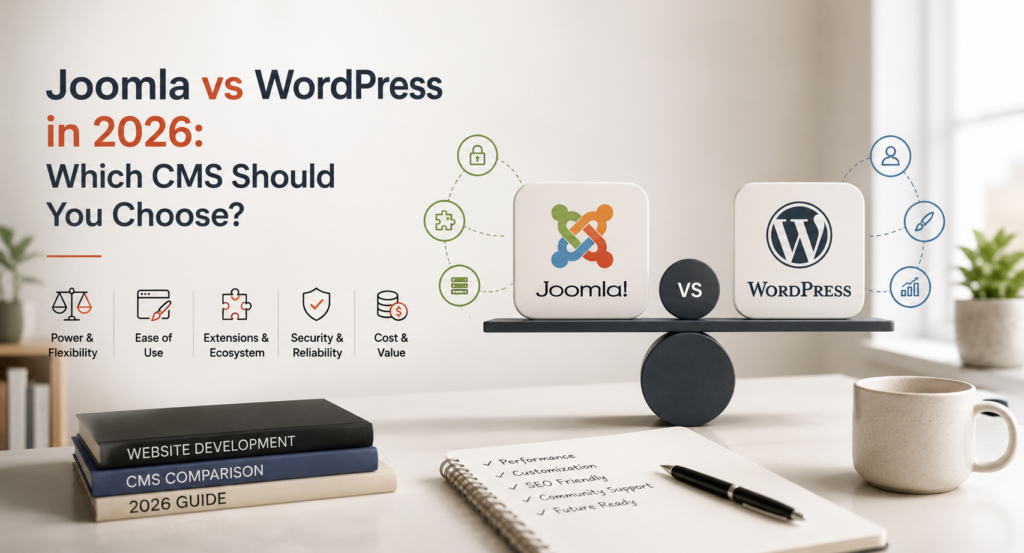
And the numbers show that WordPress will be the better choice for most businesses by 2026. It now powers around 41% of all websites and roughly 59% of sites running any CMS, according to W3Techs. Joomla has shrunk to about 2.2%. That gap matters less than you’d think when you’re deciding what’s right for your specific project, though.
Joomla still wins on granular permissions, native multilingual support, and complex access rules, which is why it survives in government, university, and membership-site builds. WordPress wins almost everywhere else, and the gap widened further this year: AI tooling is now landing natively in WordPress core, while Joomla’s AI plans are still an unreleased experiment. Here’s the full comparison.
What Is WordPress?
WordPress is a popular open source content management system because of its ease of use, flexibility and large, active community. It started in 2003 as a blogging platform and has grown into a general-purpose CMS that now powers around 41% of all websites, per W3Techs’ 2026 usage data, and roughly 59% of sites that run any identifiable CMS at all.
It’s built on PHP and MySQL, and it scales from a simple personal blog to a full e-commerce store without switching platforms. Every WordPress build we scope in 2026 starts the same way: figure out which of the 69,000-plus plugins in the official directory actually solve a real problem for this client, and skip the rest. Plugin sprawl, not the platform itself, is what slows most WordPress sites down and creates most of the security exposure we clean up
WordPress Features
An intuitive dashboard for content creation, editing, and day-to-day management
A large library of themes for fast, professional-looking customization
A modular plugin architecture that adds features like forms, galleries, and SEO tools on demand
Built-in blogging tools, including categories, tags, and commenting
Flexible user roles and permission levels for teams of any size
SEO-friendly defaults, including clean permalinks and XML sitemaps
WordPress Pros and Cons
Pros
Accessible to users of any skill level, with easy content management and customization
Thousands of themes and plugins to shape the site’s look and functionality
A large, active community with forums, tutorials, and paid support options
Free to use at its core, with many themes and plugins available free or at low cost
Cons
Heavy reliance on plugins can introduce compatibility issues or security gaps if they’re not maintained
Regular updates to core, themes, and plugins take ongoing time and attention
Notable WordPress Users
Major publishers and brands, including The New York Times, TechCrunch, and Sony Music, run on WordPress, which says something about how far the platform scales beyond its blogging roots.
What Is Joomla?
Joomla is a free, open-source CMS built on a model-view-controller framework, which keeps its content management layer separate from how a site actually displays that content. It is written in PHP and uses MySQL, MS SQL or PostgreSQL for data storage.
W3Techs data for 2026 shows that Joomla’s market share has been falling for over a decade and is now around 2.2% of all sites. The current release is Joomla 6.1 “Nyota,” shipped in April 2026, which added a visual drag-and-drop workflow editor, a privacy-friendly proof-of-work CAPTCHA, and PHP 8.4 compatibility.
Of the few Joomla projects we still take on, it’s almost always a university, government agency, or membership organization that needs Joomla’s built-in access control levels out of the box. We don’t recommend it anymore for a standard marketing site or online store.
Joomla Features
A stable, security-focused core framework with strong backward compatibility
Advanced, granular user management and access control built into core, not bolted on
An extension ecosystem of components, modules, and plugins
Native multilingual support without needing a third-party plugin
Built-in caching to help with page load times
A flexible templating system for custom designs without heavy coding
Joomla vs WordPress: Head-to-Head Comparison
Category
WordPress
Joomla
Ease of Use
Beginner-friendly, most actions take two clicks
Steeper learning curve, more admin complexity
Market Share (2026)
~41% of all websites (W3Techs)
~2.2% of all websites (W3Techs)
Extensions
69,000+ free plugins
~6,000 extensions
E-commerce
WooCommerce, the most mature plugin ecosystem
Extensions available, more manual assembly required
Multilingual
Plugin-based (WPML, Weglot, Polylang)
Native, built into core
AI Tooling
Native AI Connector Screen in WordPress 7.0
AI integration still an unshipped proof-of-concept
Access Control
Role-based, extendable with plugins
Granular ACL built into core
Best For
Blogs, business sites, e-commerce, publishers
Government, university, and membership sites needing complex permissions
Security: Which CMS Is Actually Safer?
Patchstack tracked 11,334 WordPress vulnerabilities in 2025, but only 6 of those were in WordPress core itself. The other 91% came from plugins, which lines up with what we see in client cleanups: it’s almost never the platform, it’s an unmaintained plugin nobody removed.
Sucuri, whose hacked-site reports get cited constantly in these comparisons, says outright that WordPress’s larger share of compromised sites mostly reflects its larger share of the internet, not a weaker platform. Joomla and Drupal show up in the same reports at lower volumes for the same reason there are fewer of them online.
A WordPress site with a handful of well-maintained plugins is not the same security risk as a WordPress site running forty of them. The number of active plugins is a better security predictor than which CMS logo is on the login page. If you want a deeper breakdown of hardening a WordPress install specifically, our roundup of the best WordPress security plugins is worth a look.
Joomla’s real security edge, where it exists, comes from its native access control levels limiting what any one compromised account can touch, not from the core code being inherently harder to break. Both platforms need the same basic discipline: keep core and extensions updated, and don’t install more than you actually use.
AI Tooling: The Real 2026 Differentiator
This is where the gap between these two platforms opened up the most this year. WordPress 7.0 shipped a centralized AI Connector Screen, letting a site connect to OpenAI, Anthropic, or Google Gemini from one settings panel instead of configuring API keys plugin by plugin. That’s on top of a fast-growing ecosystem of AI plugins for in-editor content generation, layout assistance, and natural-language site administration.
Joomla’s AI plans are still a developer proof-of-concept, built during a January 2026 sprint, that hasn’t shipped in any stable release yet. When a client asks us whether to future-proof a build for AI features, we run what we call the AI-Ready Stack test: can the CMS connect to a model provider without custom code, does the editor support AI-assisted content blocks, and is there an active plugin ecosystem building on top of that. WordPress passes all three today. Joomla passes none of them yet.
If AI-assisted content and workflows matter to your roadmap, that’s a meaningful strike against Joomla right now, not a hypothetical one. Our guide on using AI to translate a WordPress website is a good example of what that native AI ecosystem already makes possible.
E-commerce
Joomla has extensions for building an online store, but expect to assemble your cart, payment gateway, and shipping logic piece by piece before you get something production-ready. WordPress, through WooCommerce, gives you customizable starter themes, shipping carrier integrations, and payment support across dozens of countries in a single, well-supported plugin. WooCommerce alone now powers close to a third of all online stores tracked across the web, which is the plugin ecosystem effect in action.
SEO
Joomla’s built-in SEO settings cover meta descriptions, keyword fields, and clean URL rewriting out of the box. WordPress doesn’t ship as much SEO tooling in core, but its plugin ecosystem, Yoast SEO, RankMath, and All in One SEO among them, goes further: content analysis, readability scoring, automatic sitemap generation, and schema markup without touching code. For most businesses, that plugin depth is the deciding factor.
So, Which One Should You Choose?
Pick WordPress if you’re building a blog, a business site, an e-commerce store, a publisher site, or almost anything else a typical business needs. The plugin ecosystem, the AI tooling now built into core, and the sheer size of the developer pool all make it the lower-risk, lower-cost choice for most projects.
Pick Joomla if you specifically need its native, granular access control for a multi-team government, university, or membership site, and you’re not planning to lean on AI-assisted content tools any time soon. Outside of that specific case, we steer clients toward WordPress.
It is possible, but is not trivial. You can export Joomla content to a CSV and import it to WordPress using a plugin like WP All Import. WordPress has equivalents for theme and module functionality, or you can develop custom ones, and you will have to manually review and fix URLs so you don’t break your SEO during the move.
What kind of Joomla website will be best of 2026?
Joomla is for medium to large organizations that require its native access control system, particularly government agencies, universities and membership sites with multiple content teams and permission tiers. For a typical business or e-commerce site, WordPress is the more practical choice.
Is Joomla cheaper to run than WordPress?
Usually not. Joomla’s smaller developer community tends to push up the cost of finding help, and its extension library, at roughly 6,000 listings, offers fewer free or low-cost options than WordPress’s 69,000-plus plugins. WordPress’s larger ecosystem generally makes it the more cost-effective option over time.
Does WordPress or Joomla handle AI tooling better?
WordPress, obviously, in 2026. WordPress 7.0 gives you a native AI Connector Screen that connects your site to the major model providers without any custom code and a growing library of AI plugins. Joomla’s AI integration is an unreleased proof-of-concept, with no confirmed version for release.
When should I choose WordPress?
WordPress is good for almost any kind of website, be it a blog, a business website, an e-commerce store, a news or magazine website, a portfolio, a community forum or an educational website. It’s easy to use, has a large ecosystem and now has native AI tooling. It’s the default recommendation for most projects we scope.
Girish Panchal
Technical Architect
A Technical Architect, proficient in WordPress, Drupal, Laravel, and DevOps tasks, crafts robust IT solutions with a blend of expertise and versatility in web development and infrastructure management.




 KrishaLabs
 KrishaStudio
 KrishaStore