---
title: "How Does a WordPress Multilingual Website Work? Benefits, Plugins, and Best Practices for 2026"
url: "https://www.krishaweb.com/blog/how-wordpress-multilingual-site-works/"
date: "2026-08-13T10:50:07+00:00"
modified: "2026-08-13T11:03:06+00:00"
type: "Article"
resource: "https://www.krishaweb.com/blog/how-wordpress-multilingual-site-works/"
timestamp: "2026-08-13T11:03:06+00:00"
author:
name: "Girish"
categories:
- "Web Development"
word_count: 2035
reading_time: "11 min read"
summary: "A WordPress multilingual website stores a translated version of every page, post and interface string and displays the correct version to visitors based on their language choice or browser setting...."
description: "See how a WordPress multilingual website works,, the top plugins, AI translation options, and best practices for global reach."
keywords: "WordPress Multilingual Website, Web Development"
language: "en"
schema_type: "Article"
related_posts:
- title: "The Hidden Cost of Technical Debt in eCommerce"
url: "https://www.krishaweb.com/blog/technical-debt-ecommerce-cost/"
- title: "How Much Does a Webflow Website Cost in 2026? Complete Pricing Guide"
url: "https://www.krishaweb.com/blog/how-much-does-a-webflow-website-cost/"
- title: "How USA Manufacturers Are Using AI to Reduce Operational Costs"
url: "https://www.krishaweb.com/blog/manufacturers-ai-reduce-operational-costs/"
---
# How Does a WordPress Multilingual Website Work? Benefits, Plugins, and Best Practices for 2026
_Published: Thursday,August 13, 2026_
_Author: Girish_
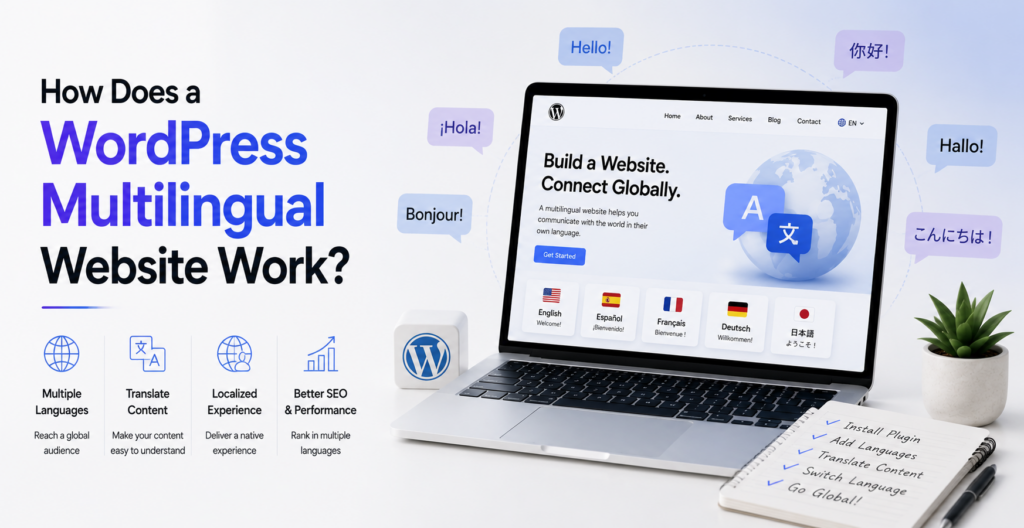
A WordPress multilingual website stores a translated version of every page, post and interface string and displays the correct version to visitors based on their language choice or browser setting. You’re not rebuilding the site for each language. You’re adding a translation layer on top of it, using a plugin like WPML, Weglot, or Polylang, or a custom multisite setup for larger builds.
Consumers care about this more than most business owners expect. CSA Research surveyed nearly 8,700 shoppers across 29 countries and found that 76% prefer buying from a site in their own language, and 40% said they would never buy from an English-only site at all. In 2026 AI-powered machine translation has made the technical side of this faster than it’s ever been. The harder question now is which languages to add first and how to keep the translations sounding human. Here’s how the whole thing actually works.
## What Is a WordPress Multilingual Website, Exactly?
A multilingual website holds content in more than one language and shows visitors the version that matches their region or preference. Real localization goes a step further than translation. It adapts currency, imagery, and cultural references too, not just the words.
WordPress installs in English by default, which is fine if most of your traffic comes from the US, Canada, or the UK. But English no longer dominates the internet the way it once did. Per W3Techs’ 2025 survey of the top 10 million websites, English content now sits at just under half of all web content, which means more than half of everything published online is already in another language.
On the multilingual builds we’ve shipped, the businesses that get the most out of this don’t try to translate everything on day one. They start with the two or three pages that actually drive revenue, usually the homepage, pricing, and top product or service pages, then expand from there once they see which languages convert.
### Is a Multilingual Site Worth Building?
The CSA Research numbers above are the clearest case for it: 76% of consumers prefer buying in their own language, and 40% say they’ll never buy from an English-only site. That’s not a small niche of shoppers. That’s a real ceiling on your conversion rate if you only publish in one language.
Before you commit, check your Google Analytics or Search Console geography data. See which countries are already sending you traffic in English, and which related regions speak a language you could add next. That history is your starting point for deciding what to translate first.
## What Do You Actually Get From a Multilingual WordPress Site?
### Does It Expand Your Reach?
English still doesn’t cover most of the world’s internet users. Spanish alone has around 41 million native speakers in the US and another 12 million bilingual speakers, making it the second most spoken language in the country. Translating your site to reach both local, non-English speaking customers and genuinely international audiences grows your addressable market on both fronts at once.
### Does It Lower Bounce Rate and Lift Conversions?
Visitors who land on a page in their own language stick around longer and understand the full buying process, from product details to checkout to support. That comfort is what turns a browsing session into a completed order. It’s also the mechanism behind the CSA Research numbers above: people don’t just prefer a translated site, they behave differently on one.
### Does It Improve the Overall User Experience?
A multilingual site does more than swap out words. When it’s done well, it shows you understand the visitor market. What this means: more organic traffic from local search results, easier navigation to those who don’t speak English, and more trust from visitors who see that you’ve invested in their language specifically, not only tolerated it.
### Does It Help Your SEO?
Once your content exists in another language, Google can crawl and index each version as separate, distinct content in that language. Google’s own guidance on hreflang tags exists specifically so search engines can serve the right language version of a page to the right visitor. Done correctly, that’s more entry points into your site from search, not duplicate content working against you.
### Does It Help You Localize for Specific Markets?
Beyond straight translation, a multilingual setup lets you adapt language, imagery, and cultural references by region. A multilingual WordPress site also scales with you. You can add a new language as you enter a new market without rebuilding anything, which matters more the longer you’re planning to operate the site.
## How to Build a WordPress Multilingual Site: Plugins or Custom Setup
| ******Plugin****** | ****Starting Price**** | ****Translation Approach**** | ******Best For****** |
|---|---|---|---|
| WPML | From $39/year | Manual translation plus AI (Private Translation Cloud) | Full control, deep WooCommerce support, agency builds |
| Weglot | From about $17/month | Automatic neural machine translation, visual editor | Fast launch, marketing teams without a developer on hand |
| Polylang | Free, Pro from $99/year | Manual translation, native WordPress structure | Developers who want a lightweight, fast setup |
| TranslatePress | From $89/year | Automatic MT (Google or DeepL) with front-end visual editing | Non-technical teams who want to edit translations in place |
We default new clients toward WPML when WooCommerce is involved, since it gives the most granular control over product and checkout translations. We point marketing teams toward Weglot when they want to launch fast and add languages later without looping in a developer every time.
Each of these plugins works with nearly every popular WordPress theme, integrates with major SEO plugins for hreflang and metadata translation, and ships a language switcher you can drop into your menu or footer without touching code.
For a full breakdown of how these three stack up feature by feature, our [**detailed WPML vs Weglot vs Polylang comparison**](https://www.krishaweb.com/blog/wordpress-multilingual-plugin-comparison-wpml-weglot-polylang/) covers WooCommerce support, SEO controls, and pricing at scale in more depth than we have room for here.
## When Does a Custom Multisite Setup Make More Sense?
Plugins cover most businesses well, but they come with limits. A custom setup on [**WordPress multisite**](https://www.krishaweb.com/blog/what-is-wordpress-multisite/) gives you more control over the exact translation workflow, at the cost of needing real development time to build it. This route usually only makes sense for larger sites with dedicated content teams per language, or brands where multisite already fits the broader [**international branding strategy**](https://www.krishaweb.com/blog/wordpress-multisite-for-international-branding/).
If you go this way, you’ll still need a mechanism to link translations to each other in the backend, generate hreflang tags automatically, and connect a language switcher to the right subsite. Our guide to [**setting up a new WordPress multisite installation**](https://www.krishaweb.com/blog/how-to-programmatically-create-new-site-in-wordpress-multisite-within-60-minutes/) walks through the technical side of that setup. And if you’re managing translations across a multisite network specifically, our roundup of the [**best WordPress multisite plugins**](https://www.krishaweb.com/blog/best-wordpress-multisite-plugins/) is a useful next stop.
## How AI Is Changing WordPress Translation
Machine translation is no longer a separate tool you bolt on. It’s built into nearly every plugin on the market. WPML runs its own Private Translation Cloud engine. Weglot and TranslatePress both route through neural translation providers like DeepL, Google, or Microsoft under the hood. That means a first-pass translation of your entire site can happen in minutes instead of the weeks a fully manual translation project used to take.
What AI still doesn’t do well is brand voice, humor, idiom, and anything with legal or medical weight. On the builds we’ve done recently, we use what we call the **Translate-Then-Trust method.** Let AI handle the first pass across the whole site, then route only the pages that carry real risk or revenue, like pricing, checkout, and any regulated claims, to a human translator for review. Everything else can usually ship on the AI pass alone.
If you want the step-by-step on connecting an AI translation workflow to WordPress, our guide on **[translating a WordPress website using AI](https://www.krishaweb.com/blog/how-to-translate-wordpress-website-using-ai/)** walks through the setup.
## Best Practices for a WordPress Multilingual Site
### Set Expectations When a Page Isn’t Translated Yet
Not every page has to launch in every language on day one. Don’t send visitors to untranslated content without explanation. Show them where the translations aren’t available yet. It’s more honest to acknowledge that gap than to pretend the entire site is finished when it’s not.
### Design for Text Expansion and Local Context
Some languages run shorter than English. Others, like German, need noticeably more space to say the same thing. Build your layouts with room to flex. Beyond text, check that images, examples, and cultural references make sense in each target market instead of just carrying over the English-language version as-is.
### Make Every Language Easy to Find
A translated page that nobody can find might as well not exist. Put a visible language switcher in a consistent spot, usually the top corner of every page, and make sure translated pages are actually linked from your main navigation, not just reachable by a direct URL.
### Use Language-Specific URLs, Not Duplicate Content
Each language version should have a different URL, for example, /de subfolder for German, according to Google. Using one piece of content in different domains without a clear marker of the language is not a good idea. That way it takes care of the problem of duplicate content and allows each language version to be indexed independently in searching engines.
### Be Selective About Which Languages You Add
WordPress multilingual plugins can technically support dozens of languages, but that doesn’t mean you should launch all of them. Use your analytics data to see where your visitors already come from, then prioritize languages by the traffic and revenue potential behind them, not by how many options a plugin happens to offer.
#### Final Thoughts
A WordPress multilingual website comes down to two decisions: which tool builds it, and which languages you add first. Plugins get most businesses live fast. A custom multisite setup gives you more control if you have the development resources to support it. Either way, prioritize languages your own data already points to, and keep AI translation honest with a human review pass on the pages that carry the most risk or revenue.
If you’re planning a multilingual build and want a technical partner who’s done this for WooCommerce stores, content-heavy sites, and everything in between, our [**WordPress development team**](https://www.krishaweb.com/wordpress-development/) can help you scope the right approach for your site.
### Frequently Asked Questions
****Do I need a plugin to make WordPress multilingual?****Not strictly. You can build a custom multilingual setup using WordPress multisite, but it takes real development time to connect translations, generate hreflang tags, and build a language switcher from scratch. Most businesses get there faster and cheaper with a plugin like WPML, Weglot, or Polylang.
****Is WPML or Weglot better for a WooCommerce store?****Both support WooCommerce pretty well. Larger stores tend to want the ability to control product, cart, and checkout translations on a more granular level and WPML gives you that. Weglot is easier to set up and faster for smaller or fast-growing stores that don’t have a developer managing every change.
****Does a multilingual WordPress site hurt page speed?****It can, if it’s set up poorly. Plugins that store translations inside WordPress, like WPML and Polylang, generally keep more control over performance. Cloud-based tools like Weglot add a small amount of overhead since content is served through their infrastructure, though most sites won’t notice a meaningful difference with a reasonable hosting setup.
****Can AI translate my WordPress site without human review?****Yes, for most everyday content current AI translation is accurate enough to publish directly. Budget for a human reviewer on those exact pages for pricing, checkout flows, legal disclaimers or medical and financial claims. That’s the gap where AI translation still messes things up.
****How many languages should I start with?****Start with one, based on where your analytics already show demand, whether that’s an existing customer base or a market you’re actively trying to enter. Adding a language you have no data to support is a guess. Adding one where you already see organic non-English traffic is a decision backed by evidence.
****Will duplicate content across languages hurt my SEO?****Not if it’s set up right. Locale-specific URLs and the correct hreflang tags signal to Google that these language versions are unique and purposefully created pages, not duplicate content. The danger is primarily from not setting up the plugins , not from having multiple languages at all . Once you set up the plugins above , they handle this for you .

###### Girish Panchal
Technical ArchitectA Technical Architect, proficient in WordPress, Drupal, Laravel, and DevOps tasks, crafts robust IT solutions with a blend of expertise and versatility in web development and infrastructure management.
 Interact With Me- [ ](https://twitter.com/girishpanchal07)
- [ ](https://www.linkedin.com/in/girishpanchal07/)
- [ ](mailto:girish@krishaweb.com)
---
_View the original post at: [https://www.krishaweb.com/blog/how-wordpress-multilingual-site-works/](https://www.krishaweb.com/blog/how-wordpress-multilingual-site-works/)_
_Served as markdown by [Third Audience](https://github.com/third-audience) v3.6.1_
_Generated: 2026-08-13 11:03:07 UTC_