73% of customers say companies treat them as an individual vs 39% in 2023. 58% of people trust businesses to act ethically with AI, 42% That gap is the real story of ecommerce personalization in 2026. Both figures come from Salesforce’s State of the AI-Connected Customer report.
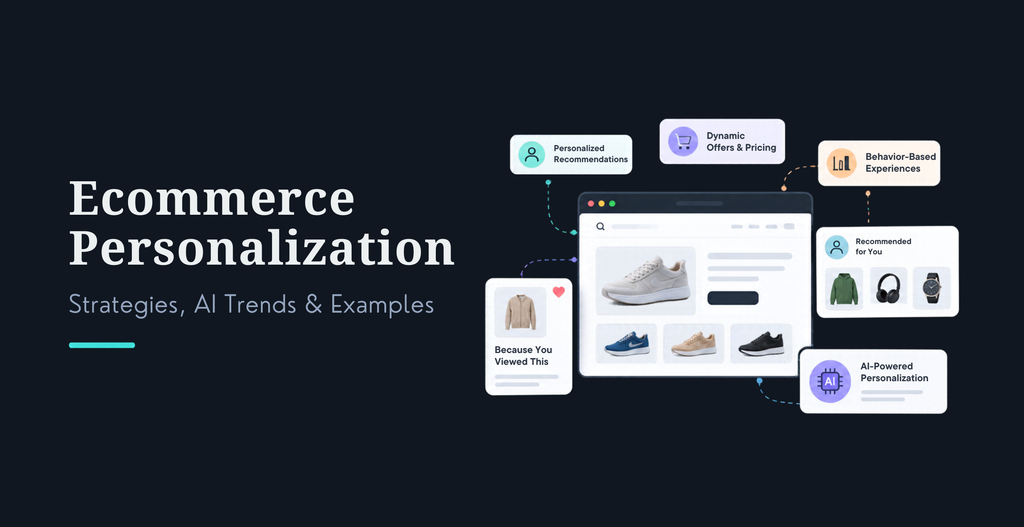
Ecommerce personalization is the practice of tailoring a store’s search, recommendations, content, offers, and messages to each shopper, using their preferences, behavior, purchase history, and context. Done well, it helps people find the right product faster. Done badly, it feels like being followed around the internet.
I have seen both versions on live stores. This guide covers 12 personalization strategies, the AI trends reshaping them, a six-step rollout plan, and a clean way to prove the revenue is real. Each strategy ends with what to try first and what to track.
Key Takeaways
Start with product recommendations and email. They pay back fastest.
Build on consented first-party data, not third-party cookies.
Use rules for simple cases. Use AI where your catalog and data justify it.
Keep a holdout group so you measure incremental revenue, not clicks.
Treat trust as a feature. Shoppers reward personalization they understand.
What Is Ecommerce Personalization, and What Does It Look Like in Practice?
Picture a returning customer who bought running shoes six weeks ago. A generic store greets her with the same homepage everyone sees. A personalized store shows trail running gear in her usual size range and a reminder that the insoles she bought are due for a refresh. Same visitor, very different afternoon.
One distinction trips people up. Customization is when the shopper chooses, like picking a color or adding an engraving. Personalization is when the store decides what to show, based on signals. Both are useful, but only the second needs data and consent.
Ecommerce scenario
Generic experience
Personalized experience
Homepage
Same featured products for everyone
Collections based on expressed interests or recent shopping intent
Product page
Random related products
Complementary products that fit what the shopper is viewing
Search
Keyword-only results
Results that read intent and product attributes
Email
Same campaign to every subscriber
Messages built around preferences and lifecycle stage
Cart
Generic discount pop-up
A relevant bundle or a shipping-threshold note
Post-purchase
Generic thank-you email
Care guidance and a well-timed reorder reminder
These are illustrative scenarios, not measured results.
Personalization is not about showing every shopper a different price. It is about removing the work of finding the right product.
Why Does Ecommerce Personalization Matter in 2026?
Because shoppers expect it, and the stores that get ecommerce personalization right grow faster. McKinsey’s personalization research found that 71% of consumers expect personalized interactions and 76% get frustrated when they do not receive them. It also found that companies excelling at personalization earn 40% more revenue from those activities than average players.
Expectations are not the only pressure. Baymard Institute’s analysis of 50 checkout studies puts average cart abandonment at 70.22%. Seven in ten carts never become orders. Irrelevant offers and hard-to-find products feed that number, and personalization goes after both.
A third shift is new this year. Adobe’s Q2 2026 AI-Sourced Traffic Reportfound that visitors arriving from generative AI platforms convert 42% better and bring 37% more revenue per visit than non-AI traffic. These shoppers show up with intent already formed. The first page they land on has to match what the AI told them.
Delivery of ecommerce personalization is still uneven. VML’s Future Shopper 2025 study, reported by Campaign Brief, found that 45% of consumers think most brands do a poor job of personalization. Demand is high. Execution is patchy. That is your opening.
Personalization pays in four places: conversion rate, average order value, repeat purchase rate, and customer lifetime value. If a tactic does not move one of them, drop it.
Business outcome
What personalization changes
Where to check it
Conversion rate
Shoppers reach relevant products sooner
Session conversion by segment
Average order value
Better add-ons and bundles in the cart
AOV and attach rate
Repeat purchase rate
Timely, relevant follow-ups
90-day repeat rate
Lifetime value
Loyalty perks and replenishment prompts
Cohort revenue over time
On the stores we build, the first visible win almost always comes on the product and cart pages, because shoppers are already making a decision there.
How Does Ecommerce Personalization Work?
It runs as a loop. You collect signals, get consent, group or score shoppers, decide what to show, deliver it, and measure the result. The loop only works when each step feeds the next.
Get consent. Tell shoppers what you collect and why, and honor opt-outs.
Segment or score. Group shoppers by behavior and lifecycle stage, or score them for likely purchase.
Decide. Rules or models pick the product, message, or offer.
Deliver. Show it on site, in email, in SMS, or in chat.
Measure. Compare against a holdout group, then feed the results back in.
Three data terms matter for ecommerce personalization. First-party data is what shoppers do on your store and with your emails. Zero-party data is what they tell you on purpose, like a quiz answer or a size preference. Behavioral signals are the clicks, searches, and dwell patterns you read intent from. Zero-party data is the easiest to trust, because the shopper handed it over.
I sort personalization signals into five rungs and call it the Signal Ladder. Rung one is context: device, location, traffic source. Rung two is session behavior, what the shopper clicks and searches right now. Rung three is account history, meaning past orders and returns. Rung four is declared preferences, the zero-party data from quizzes and preference centers. Rung five is predicted intent, where models estimate what someone will want next.
Climb one rung at a time. Stores that jump to rung five without building rungs two to four give the model nothing real to learn from. Personalization is only as smart as the lowest rung you have built.
You will also have to choose between rules and AI. Here is how they compare.
Rules-based
AI-powered
How it decides
Predefined conditions
Models that find patterns
Example
Recommend accessories when a customer views a phone
Rank accessories using product context, real-time intent, and past behavior
Control
Easy to implement and control
More adaptive, but needs suitable data
Best for
Straightforward use cases
Complex catalogs and larger datasets
A simple test: use rules when you can write the logic on a whiteboard. Use AI when you cannot.
What Are the 12 Best Ecommerce Personalization Strategies for 2026?
I ordered these roughly from fastest payback to slowest. Start with the first three or four, then add the rest as your data matures. Each one has a quick-start step and a metric, so you can launch small and know if it worked.
1. Use AI-Powered Product Recommendations
Product recommendations suggest items a shopper is likely to want, using what they viewed, bought, and did in this session. AI engines add what similar shoppers did, so the list shifts as the visit unfolds. A first-time visitor sees bestsellers in the category they are browsing. A returning customer sees items that complement past orders.
The payoff is higher order value without a discount. Shoppers find products they would never have searched for. Place recommendations on the product page, the cart, and the homepage, and give each spot one job. Cart suggestions should be small add-ons, not rivals to what is already in the basket.
Start here: Pick the product page. Show category bestsellers to new visitors and history-based picks to returning ones, then test against a static related-products block.
Track: Revenue per visitor and the share of orders containing a recommended item, measured against a holdout group.
2. Personalize Email and SMS Campaigns
Personalized email and SMS send messages based on what a shopper did and where they sit in their lifecycle, not a one-size blast to the whole list. The flows that matter most are abandoned cart, browse abandonment, post-purchase, replenishment, and win-back.
With seven in ten carts abandoned, cart recovery is the obvious first build. Send the reminder with the exact items, stock status, and shipping details, and skip the automatic discount. SMS needs clear opt-in, and the rules vary by country. Our guide to email marketing best practices covers timing and deliverability.
Start here: Build three flows: abandoned cart, post-purchase, and win-back. Split each one by what the shopper looked at.
Track: Revenue per recipient and flow conversion rate, with unsubscribe rate as a guardrail.
3. Create Dynamic Homepage Experiences
A dynamic homepage swaps collections, banners, and sort order depending on who is looking. Returning shoppers see the categories they have browsed. New visitors see content matched to the campaign or search that brought them.
This is where stores overdo it. If the page changes so much that regulars cannot find their way, you lose more than you gain. Keep navigation steady and personalize the middle of the page. Pairing this with solid ecommerce conversion rate optimization work keeps the changes honest.
Start here: Personalize one hero block and one product row for returning visitors. Leave the rest alone for the first test.
Track: Homepage-to-product click rate, bounce rate, and revenue per session against the default page.
4. Build custom loyalty and retention programs
The premise behind loyalty programs is the desires of shoppers. It could be early access for the best customers, points on categories they buy, or perks that drop when they’re likely to reorder. Tiers, VIP status, and relevant offers all fit here.
A loyalty program that gives everyone 10% off is a discount code with extra steps. The better version uses purchase history to choose the reward. It also protects margin by rewarding behavior you want more of, such as second orders and referrals.
I’m just trying to do my job.” Define two or three tiers by order frequency, then attach one non-discount perk to each, like early access or free returns.
Track: Repeat purchase rate, redemption rate, and margin after rewards.
5. Personalize Product Search and Discovery
Personalized search understands what a shopper means, not just what they typed. Semantic search understands natural language queries like “waterproof jacket for light hiking”. Personalized ranking nudges relevant items higher based on past behavior, and filters can adapt too, showing the size range someone usually buys.
Shoppers who search usually know what they want, so weak ecommerce personalization in search costs you a sale you almost had. Check your zero-result queries first. Fixing synonyms and misspellings often beats any clever model.
Start here: Review your top 50 queries and every zero-result query, and fix synonyms before adding personalized ranking.
Metric: Search exit rate, zero result rate, search to cart rate
6. Roll-out AI Shopping Assistants
An AI shopping assistant allows shoppers to speak in plain language about what they need and be guided to products, answers and order help. It can double as first-line support. Our notes on Shopify AI chatbot integration and conversational marketing for ecommerce cover setup in more detail.
Be careful with scope and honesty. Salesforce found that 72% of customers say it matters to know when they are dealing with an AI agent, so label it. Limit the assistant to your catalog and policies, and give shoppers an easy route to a human.
Start here: Launch it for product questions and order status only. Weekly check the conversation logs for wrong answers.
Track: Assisted conversion rate, escalation rate and customer satisfaction score.
7. Implement Contextual Cross-Selling and Upselling
Contextual cross-selling suggests items that belong with what is already in the cart. Upselling suggests a better version of the same item. Bundles and free-shipping progress bars follow the same idea: they help the shopper do something they already want to do.
Compare that with a generic discount pop-up. A relevant bundle, or a line that says “add $12 for free shipping,” gives the shopper a reason instead of a coupon. Offer two or three options, never ten.
Start here: Create bundles of two or three complementary items and add a free-shipping threshold message to the cart.
Measure: Average order value, attachment rate, gross margin per order
8. Personalize Mobile Shopping Experiences
Mobile personalization makes the phone experience feel like it remembers the shopper. Saved sizes and addresses, wallet payments, recently viewed items, and thumb-friendly recommendation carousels all count.
Push notifications belong here too, but only with opt-in and only when relevant. A back-in-stock alert for a saved item is useful. A daily blast is how you lose the opt-in. Strong UX design is what makes personalization usable on a small screen.
Start here: Audit your mobile checkout for fields you can prefill, and turn on express wallets.
Track: Mobile conversion rate, mobile revenue per visit, and push opt-out rate.
9. Use First-Party and Zero-Party Customer Data
This strategy is the base for the other eleven. First-party data comes from shopper activity on your store. Zero-party data is what shoppers tell you directly through quizzes, preference centers, and size or style questions.
Trust is the constraint. Salesforce reports that 64% of customers believe companies are reckless with their data. Say plainly what you collect and what the shopper gets in return, and let them edit their preferences. Our guide on how toprotect ecommerce customer datacovers the security side.
Start here: Add a short preference quiz to your welcome flow, with a clear line about how the answers will be used.
Track: Quiz completion rate, consent rate, and revenue per quiz-taker versus non-takers.
10. Personalize Post-Purchase Experiences
The sale is not the end of personalization. Order updates, care guides for what the shopper bought, reorder reminders, and support follow-ups keep the relationship moving. For consumables, a timed replenishment reminder is often the most useful message you can send.
The order confirmation email usually gets opened, so use it for more than a receipt. Add setup tips or care instructions for the specific product. That cuts support tickets and sets up the second purchase.
Start here: Pick your top-selling product, write a care or setup email for it, and trigger it three days after delivery.
Track: 90-day repeat purchase rate, reorder rate, and support contacts per order.
11. Use Predictive Analytics to Anticipate Customer Needs
Predictive personalization uses past behavior to estimate what a shopper will do next: which product they will want, when they will need a refill, whether they are about to churn, how likely they are to buy this week. The outputs feed email timing, recommendations, and offers.
It needs data volume. If you process a small number of orders each month, a simple rule, like “send a reorder reminder at 80% of typical usage time,” will beat a model starved of examples. Move to models when the rules start to feel crude.
Start here: Begin with one prediction: days until likely reorder for your best repeat product.
Track: Lift versus a holdout group, win-back rate, and retention.
12. Personalize the Customer Journey in Real Time
Real-time personalization responds to what the shopper does in the current session. Someone who views three jackets in a row gets a size guide. Someone who lingers on shipping information gets a delivery estimate. The trick is helping without interrupting.
Pop-ups are the usual failure. Google publishes guidance onintrusive interstitials that hurt page experience, and shoppers feel the same way. Prefer inline messages over overlays. Speed matters too, because personalization that slows the page costs more than it earns.
Start here: Replace one exit pop-up with an inline, context-aware message on the cart page.
Track: Message conversion rate, bounce rate, and Core Web Vitals.
What Are the Biggest Ecommerce Personalization Trends in 2026?
Four shifts matter this year.
Predictive personalization. Models estimate what a shopper will want or do next, instead of reacting only to what they just did. It is the fastest-growing part of the field, and it only works on top of clean first-party data.
Conversational and agentic commerce. Conversational commerce lets shoppers talk to a store the way they would talk to a salesperson. Agentic commerce goes further, with an AI agent shopping on someone’s behalf. It is early. Salesforce found only 17% of customers are comfortable letting an agent make financial decisions for them, so treat full autonomy as a future scenario, not a 2026 requirement.
Privacy-first ecommerce personalization. The 2022 version of this article suggested personalizing by age and gender. I would not recommend that now. Personalize on behavior and stated preferences, with consent. Dynamic pricing by shopper profile is the most dangerous tactic in this guide. It can damage trust and may raise legal questions depending on where you sell, so get legal advice before you test it.
Readiness for AI search.Google saysthere are no extra requirements or special markup for appearing in AI Overviews or AI Mode, and the usual SEO fundamentals apply. For stores, that means clean product data, crawlable pages, and content that answers real shopper questions. OurAEO and GEO optimization work focuses on exactly that.
Most of the stores that ask us about AI personalization need their data plumbing fixed first. The model is rarely the bottleneck.
What Are Some Real-World Examples of Ecommerce Personalization?
Scenarios help, but real brands show you the finished experience. Two are easy to check yourself.
Amazon shows “Recommended for you” and “Frequently bought together” blocks that change with your browsing and orders. The lesson for smaller stores is placement. The suggestions appear exactly where a shopper is deciding.
Sephora ties its Beauty Insider tiers and perks to purchase activity. That makes the program feel earned instead of automatic, which is the point made in strategy four above.
[ADD KRISHAWEB CASE STUDY: one client example with the customer problem, what we built, and the measured outcome. If no approved numbers exist, describe the build and what changed, and leave the numbers out.]
What Are the Best Ecommerce Personalization Tools and Platforms?
There is no single best tool. The right pick depends on your platform, catalog size, and team. Start from the job you need done, then shortlist.
Job to be done
Tool type
Examples to evaluate
Pick it when
Email and SMS flows
Lifecycle messaging platform
Klaviyo, Omnisend
You want behavior-based flows fast
Recommendations and on-site content
Personalization engine
Nosto, Rebuy, Dynamic Yield
You have steady traffic and a growing catalog
Search
Search and discovery platform
Algolia, Bloomreach
Search is a major path to purchase
Testing
Experimentation platform
Optimizely, VWO
You need clean holdout and A/B tests
Unified customer data
Customer data platform
Twilio Segment
Your data lives in four or more tools
These are examples, not endorsements. Check current features and pricing before you commit.
How Do You Implement Ecommerce Personalization in 6 Steps?
Work in this order. Skipping ahead is the most common reason projects stall.
Audit your customer journey. Find the friction in product discovery, cart abandonment, and retention.
Confirm Customer Details Check for consent, data quality and what you can use responsibly.
Find high impact use cases. Prioritize strategies with a clear business outcome.
Pick the right tech. Weigh capability, integrations, complexity, and budget.
Launch and A/B test. CoCompare the personalized experience to an appropriate control group.
Measure and optimize. Track incremental conversions, revenue per visitor, order value and retention.
Teams tend to rush step four. Steps one to three decide whether any tool you buy will work.
Ready to Make Your Ecommerce Store More Personal?
Personalization works best when your customer data, platform, and shopping experience work together. At KrishaWeb, we help businesses build and improve ecommerce experiences through custom development, platform integrations, UX design, and AI-powered ecommerce solutions. Explore our ecommerce development services to see how personalization could fit your store’s goals.
How Do You Measure Ecommerce Personalization ROI?
Compare a personalized group against a holdout group that sees the default experience, then measure the difference in revenue per visitor. I call this the Holdout-First rule: no holdout, no claim. Without a control, you cannot tell whether personalization caused the sale or just sat next to it.
Run the test long enough to cover a full buying cycle, and judge it on revenue per visitor rather than clicks. Our guide to AI-assisted conversion rate improvement covers test design in more depth.
KPI
What it tells you
Watch out for
Revenue per visitor
Whether personalization adds real revenue
Seasonal swings between test and control
Conversion rate
How many sessions end in an order
Gains that come from discounts
Average order value
Whether add-ons and bundles work
Margin lost to deep bundle discounts
Repeat purchase rate
Retention and loyalty strength
Short test windows
Customer lifetime value
Long-run payback
Slow feedback, so use cohorts
Opt-out and unsubscribe rate
Whether you are overreaching
Rising rates after new flows
For ROI, take the extra gross profit from the personalized group, subtract tool and labor costs, and divide by those same costs.
Every personalization test we run has a control group built in from day one, because retrofitting one after launch never gives a clean read.
How Do You Measure Ecommerce Personalization ROI?
Compare a personalized group against a holdout group that sees the default experience, then measure the difference in revenue per visitor. I call this the Holdout-First rule: no holdout, no claim. Without a control, you cannot tell whether personalization caused the sale or just sat next to it.
Run the test long enough to cover a full buying cycle, and judge it on revenue per visitor rather than clicks. Our guide to AI-assisted conversion rate improvement covers test design in more depth.
What Are the Most Common Ecommerce Personalization Mistakes?
Customizing before obtaining consent. It undermines trust and it can break the law.” Gather first party data transparently.
Over-personalizing. Quoting a product someone viewed once, in a subject line, feels creepy rather than helpful.
Building on fragmented data. When orders, email, and site behavior live in separate tools, every recommendation is half-blind. Our piece on first-party data foundations goes deeper.
Defaulting to discounts. If every personalized message carries a coupon, you train shoppers to wait for one.
Ignoring page speed. Slow personalized pages convert worse than fast generic ones.
Skipping the control group. Without one, you will credit personalization for sales that would have happened anyway.
Frequently Asked Questions
What is ecommerce personalization?
Ecommerce personalization means adjusting what each shopper sees based on their behavior, preferences, and context. It covers product recommendations, search results, email content, offers, and post-purchase messages. The goal is relevance: helping someone find the right product with less effort, using data they have shared or generated on your store.
How does AI improve ecommerce personalization?
AI finds patterns that fixed rules miss. It can rank products using real-time intent, predict when a customer will reorder, and pick the best message for each person. It helps most on large catalogs with plenty of traffic. On small stores, simple rules often perform as well and are easier to control.
What are the best personalization strategies for small businesses?
Start with three: abandoned-cart and post-purchase email flows, product recommendations on product pages, and a short preference quiz. These need little data and little budget. Add loyalty tiers and personalized search once you have steady order volume. Skip heavy predictive models until your data justifies them.
How can stores personalize without third-party cookies?
Use first-party data from your own store, such as browsing, orders, and email engagement. Add zero-party data through quizzes and preference centers. Encourage account creation so you can recognize returning shoppers across devices. Track events on your own domain, and always record consent. None of this depends on cross-site tracking.
What are the biggest challenges of ecommerce personalization?
The big four are fragmented data, weak consent practices, slow page speed, and no way to prove results. Customer data often sits in separate tools that never talk to each other. Fix the data first, be open about how you use it, keep pages fast, and run holdout tests.
How do you calculate personalization ROI?
Subtract the revenue of a holdout group from the revenue of the personalized group, convert the difference to gross profit, then subtract your tool and labor costs. Divide that by the same costs. Use revenue per visitor as the base metric, and run the test long enough to cover a full buying cycle.
Ready to Scale Your Agency?
Tell us what you are trying to deliver. Schedule a call to talk it through, or contact us with your project.




 KrishaLabs
 KrishaStudio
 KrishaStore