Choose what is the best for your website’s security
Maintaining website security is crucial for any business, regardless of whether it is built on a CMS platform or a custom framework. However, there are certain checkpoints and costs associated with website security management. In this article, we will focus on WordPress as a CMS and discuss the top recommended security plugins according to experts.
Find below a broad list of the standard WordPress security plugins categorized as per their respective jobs.
Plugins for all-round security: iThemes Security, Sucuri Security, BulletProof Security, All In One WP Security, etc.
Spam and Bot prevention: Jetpack, Titan Anti-Spam, etc.
For Hiding Files and Site Identity: Hide My WP, etc.
Site backups: VaultPress, etc.
Scanning of malware, and viruses: MalCare Security, SecuPress, Security Ninja, etc.
For repairing damage due to hacking attempts: Shield Security, Brute Force Firewall, etc.
For SSL connection: Really Simple SSL
Best WordPress security plugins are very essential to keep your site safe from malware, malicious scripts, cyber-attacks, SEO spam and all sorts of security threats. These extensions play a significant role in keeping the business alive, especially when you have an online selling platform or any site that deals with monetary exchange. In addition, these plugins are important to safeguard sensitive customer data. Today, we will help you find some of the best plugins to secure your WordPress website. These may help you block potential intruders from entering your website. The list below is ordered from the most searched plugin names down to more specialised, niche ones, and covers how AI is starting to reshape this space; more on that right after this intro.
How AI Is Changing WordPress Security in 2026
Website security used to mean signature-based scanning: a plugin checks your files against a known list of malware patterns and flags a match. That’s still useful, but it’s reactive by definition it only catches what’s already been seen before. AI is starting to change that in a few concrete ways worth knowing about.
AI-assisted vulnerability scoring: Rather than just listing known vulnerabilities, some tools now employ automated risk scoring to point out which ones actually matter for your particular setup, cutting down on alert fatigue.
Virtual patching before official fixes ship: When a plugin vulnerability is disclosed, there’s often a gap of days or weeks before an official patch is released. AI-assisted tools can block the specific exploit during that window. You’ll see a real example of this later in this list.
Behavior-based anomaly detection: Rather than only matching known malware signatures, some firewalls now flag traffic and login patterns that look unusual for your specific site, which helps catch newer attack methods that haven’t been catalogued yet.
None of this replaces the basics strong passwords, two-factor authentication, regular backups and a secure host are still the most important things. AI-powered detection is best considered an extra layer, not a replacement for the basics covered throughout this list. For the bigger picture, we’ve also covered how AI is being used across WordPress more broadly.
High Priority #1: Secure Web Hosting
Always remember a secure hosting platform will keep your website secure. They are the base on which your site lives so, it is imperative that your website’s foundation is free from any complications and must not compromise essentially required security mechanisms. When there are in-built plugins on the server side, you get a website without many performance roadblocks. Choose hosting plans that take care of a certain level of security threats so, that you need to install only other necessary plugins. You can minimize performance downtimes by lowering the number of third-party plugins, which take extra time to load.
Hosting providers offer plans with the following safety measures:
WordPress hosting platforms often detect DDoS attacks, keep an eye on the uptime, and block IPs that fail to log in after certain attempts.
Firewalls and other security mechanisms are right in their place to prevent data access of any kind.
Two-factor authentication works on login safety. It is an added layer of security for websites with excessive interaction with customers.
Some hosting providers offer the facility for WordPress installation and backups which saves the support team from these obvious activities.
Hosting providers like Kinsta keep all of their cloud-based website accounts isolated by using Linux containers. This is an additional security measure by the hosting provider.
Hosting providers also use the technique of load balancing of extra plugins with their cloud platform. This improves the performance of the site.
Therefore, it’s important to choose a hosting service that offers the relevant security to your WordPress website. However, not all hosting service providers will offer the highest level of security to your website. You need to add plugins to make your site fully safe.
30 Best WordPress Security Plugins for Your Website (Most Searched to Least Searched)
Wordfence Security
Jetpack
Really Simple SSL
UpdraftPlus
All In One WP Security & Firewall
iThemes Security
Sucuri Security Plugin
Google Authenticator – WordPress Two-Factor Authentication
Limit Login Attempts Reloaded
MalCare Security
WP Activity Log
Anti-Malware Security and Brute Force Firewall
BBQ Firewall
WP Cerber Security
Titan Anti-spam and Security
Security & Malware Scan by CleanTalk
Shield Security
Defender Security
NinjaFirewall
BulletProof Security
Stop Spammers Security
SecuPress
WP 2FA
Security Ninja
WPScan – WordPress Security Scanner
WP Hide and Security Enhancer
Hide My WP
WP fail2ban
VaultPress
Patchstack (AI-Powered Vulnerability Protection)
1. Wordfence Security
Wordfence comes with some of the sturdiest login security features including monitoring traffic trends, checking hacking attempts, firewall blocks, brute force attack prevention, real-time threat defense, malware scanning, website auditing, Google crawl activity monitoring, comment spam filter, etc.
With free and premium versions, the Wordfence Security plugin is available from $99/year (1 license) and scales up to $74.25/year (15+ site licenses). The plans are available for single to multisite, with multisite getting more discounts than the single one.
*Note: Kindly verify the pricing plans.
2. Jetpack
The multi-featuredplugin developed by WordPress.com handles social media strengthening social media, improving site speed, and preventing spam and bots. It offers brute force attack protection, automatic detection and deletion of spam comments. The premium plans offer backups, security scans, downtime monitoring, etc. The statistics offered by it can be checked from the admin dashboard.
The basic spam protection is free, but it offers other features through subscription. Features like site backups cost you $9/month, and real-time malware protection costs $24.92/month. Keep watching for the discounts to enjoy an affordable subscription to this plugin.
*Note: Kindly verify the pricing plans.
3. Really Simple SSL
Really Simple SSL opens the gateway to a single click SSL certificate installer. By connecting the site to an SSL environment and safekeeping any transactional data from threats, the plugin offers a high level of data security. You can also enable HTTP security parameters as well. Essential for eCommerce sites and online selling platforms, this plugin ensures data safety for all kinds of WordPress sites.
The core plugin is available for FREE. It provides tools to establish an SSL environment and create an SSL certificate for sites that don’t have it. The premium plugin is available in three categories – Personal at $29/year, Professional at $69/year and Agency at $169/year.
*Note: Kindly verify the pricing plans.
4. UpdraftPlus
UpdraftPlus is the most widely used WordPress backup plugin, and backups are a security layer in their own right: if a hack or bad update takes your site down, a recent backup is often the fastest way back online. It schedules automatic backups to Dropbox, Google Drive, Amazon S3, or your own server, and restores with a single click. Sites handling customer data or online orders should treat this as essential, alongside our WooCommerce security guide if you’re running an online store.
The free version covers most small sites. Premium plans start at $70/year and add incremental backups, migration tools, and multiple storage destinations.
*Note: Kindly verify the pricing plans.
5. All In One WP Security & Firewall
All In One WP Security & Firewall comes with a highly intuitive user interface and good customer support. It explains security strength and other metrics with visual graphs, making it convenient for laymen to understand site safety. The FREE plugin offers three kinds of features – basic, intermediate and advanced. Some of them are the blocklist tool, a temporary lockdown button for emergency situations, login protection, database security, files protection, hiding site details from bots, etc.
The plugin is FREE.
6. iThemes Security
Once known as Better WP Security, the iThemes Securityextension offers 30 kinds of protections including those from hacking, intruders, obsolete software versions, password strength, and more for all kinds of WordPress sites. Available in free and pro versions, with varying degrees of features, these 30 kinds of security parameters are excellent for your website. Some of its most admirable features are file change detection, Google reCAPTCHA, 404 error detection, two-factor authentication, brute force attacks prevention, SSL certificate, partial backups, etc.
Available with a 30-day money-back guarantee, the iThemes Security plugin plans start from $80/year for bloggers to $499/year for the entire plugin suite.
*Note: Kindly verify the pricing plans.
7. Sucuri Security Plugin
Available in both free and paid versions, Sucurioffers firewall, malware scanning, security auditing, file integrity monitoring, security hardening and more. It comes with basic, premium and professional plans. It also offers SSL certificates (paid), customer service options, advanced DDoS protection with certain plans, blocklist monitoring, etc. If you choose the premium plan, you also get the facility of post-cleanup reports, hatch packing and many advanced features.
The free plan comes with a 30-day money-back guarantee. The paid versions start from $9.99/month (basic plan) and stretch up to $499.99/month (business platform).
*Note: Kindly verify the pricing plans.
8. Google Authenticator – WordPress Two-Factor Authentication
As the name suggests, Google Authenticatorspecially works on login security. Most hackers attack through the login page so, this plugin plays a vital role in ruling them out. You can make special settings for admins and implement two-factor authentication for other users of the site. You can apply additional security parameters through security questions, and email verification, which are the features available in the premium version.
It also has advanced features like IP blocking, database backups, etc. Primarily, available as a FREE plugin, you can pay for an upgraded plan to get advanced features. The plans include $99/year for Premium Lite, $199/year for Premium and $59/year for the enterprise version.
*Note: Kindly verify the pricing plans
9. Limit Login Attempts Reloaded
This plugin does one job and does it well: it caps how many times a visitor can attempt to log in before they’re locked out, with IP whitelisting/blacklisting, lockout notifications, and GDPR-compliant logging. It’s a lightweight, no-frills way to shut down brute-force login attempts without adding overhead to your site.
The plugin is free. A Cloud add-on that shares threat intelligence across sites is available for around $2/month per site.
*Note: Kindly verify the pricing plans
10. MalCare Security
Primarily works as a malware scanner, this plugin checks your entire website for any and every kind of issue, in the site, plugins, IPs, etc. The cloud-based plugin sends email notifications upon detecting an attack. The lightweight plugin offers bot protection and even blocks them, if necessary. It offers captcha technology, uptime monitoring, Google blocklist hacks, cookie stealing, and more.
There are free and paid plans. The prices are categorized as $99/year for the basic plan, $149/year for Plus, and $299/year for Pro.
*Note: Kindly verify the pricing plans.
11. WP Activity Log
The plugin specializes in generating logs of all activities on the site. It troubleshoots problems that arise from any hacking activity. Real-time logging helps to monitor all activities like profiles, categories, tags, extensions, etc. on the site. It prevents internal or external users from damaging the website’s functions. Every user activity is logged and monitored by the plugin. This updates the admin about any mischief on the site.
Available in FREE and paid versions. It costs $99/year for the Starter plan and reaches up to $199/year for the enterprise plan.
*Note: Kindly verify the pricing plans.
Explore Important Recommendations on WordPress Plugins
12. Anti-Malware Security and Brute Force Firewall
This security plugin safeguards the site by scanning all kinds of vulnerabilities. The prominent features include safety from SQL injections, backdoor scripts, and repair of issues that damage any of the core files. The plugin applies patches after DDoS and brute force attacks. Advanced patching, solving new threats, and core file monitoring are some of the next-level features offered by the plugin.
The plugin is FREE, however, you can access premium features through an optional donation to the developer.
13. BBQ Firewall
BBQ Firewall is a lightweight WordPress firewall plugin designed to block malicious requests before they reach your website. It protects against common threats such as SQL injection attacks, executable file uploads, suspicious request strings, bad bots, and other malicious URL requests. The plugin is extremely lightweight and starts protecting the website immediately after activation without requiring complex configuration.
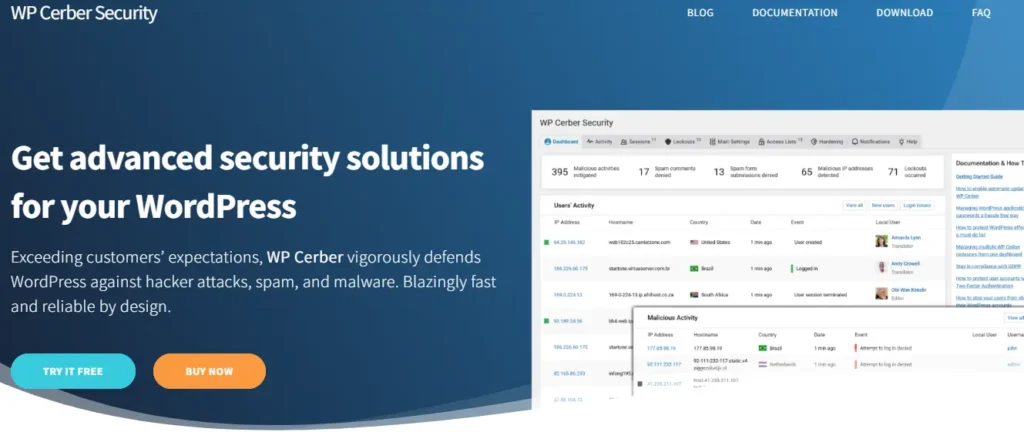
14. WP Cerber Security
This plugin offers all-round security but primarily focuses on login protection. It also offers anti-spam features, malware scanning, registration monitoring, Google reCAPTCHA, custom login URL, scans all files, logs any suspicious activity, generates email notifications for the same, etc.
The FREE version is available. An advanced version for a single site will cost $99/year and $399/year for a value pack.
*Note: Kindly verify the pricing plans.
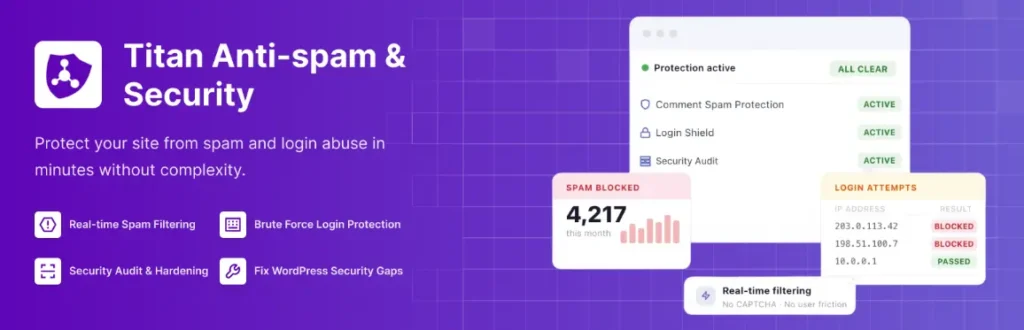
15. Titan Anti-spam and Security
Another spam detection and reduction tool, this plugin offers features like a firewall, site checker and error log. It gives spam statistics in easy to understand graphical format. It removes spam comments automatically, blocks IP addresses in real time, executes scanning schedules, deletes unwanted files, etc.
The free version offers the blocking of spam comments. Paid versions come in 3 categories – $55/year for a single site, $159/year for 3 sites and $319/year for 6 sites.
*Note: Kindly verify the pricing plans.
16. Security & Malware Scan by CleanTalk
The plugin offered by CleanTalk is a cloud-based malware scanner that scans viruses, IPs and bots. The scanner with a very high efficacy offers features like brute force attacks, two-factor authentication during login, security firewall, email notification on threat detection, etc. When installed, it runs automatic scans on a daily basis, creates an audit log, monitors real-time traffic and delivers daily scan reports.
There is a free version and paid one with a separate price for the number of websites. $49/year for one site, $24/year for 3 sites, and $36/year for 5 sites. $63/year for 10 sites and $117/year for 20 sites.
*Note: Kindly verify the pricing plans.
17. Shield Security
Shield Security reduces the load on the site by activating the hack repair mechanism. It takes relevant action without throwing emails at the site owner. Offers restricted access to users and saves the site from any chances of malicious activities. It guards the site against bots, hacks, intruders, brute force attacks, etc. With restricted admin security access and firewall security in its place, the plugin proves an efficient one.
The core plugin is free, but professional and business versions are available at $12/month to $59/year.
*Note: Kindly verify the pricing plans.
18. Defender Security
Defender Securityby WPMU DEV rolls firewall protection, malware scanning, login security, two-factor authentication, and IP banning into one dashboard, with plain-language security recommendations for site owners who aren’t security specialists.
The core plugin is free. Pro features (automated malware removal, advanced firewall rules, and priority support) come bundled with WPMU DEV membership plans starting around $9.50/month
*Note: Kindly verify the pricing plans.
19. NinjaFirewall
NinjaFirewallfilters incoming requests before they ever reach WordPress, working at the web server/PHP level rather than inside WordPress itself. That makes it effective at catching SQL injection and cross-site scripting attempts even if an attacker tries to bypass WordPress-level defenses, and it’s known for running with a light footprint.
The core plugin is free. The Ninja Firewall WP+ edition, with a full application firewall and admin panel, is available as a one-time purchase starting around $50
*Note: Kindly verify the pricing plans.
20. BulletProof Security
This security pluginoffers an array of features like login security, quarantines, anti-spam, database backups, email alerting, auto-restore, malware scanning, hidden plugin folders, security logs, password security, folder locking, encryption solutions, and more.
Available in both free and paid versions, with the one-time payment being $69.95. The best part is the 30-day money-back guarantee. The free version works well in securing an average website.
*Note: Kindly verify the pricing plans.
21. Stop Spammers Security
The WordPress plugins identify and block spam found in plugins, themes, forms, comments, etc. It can be tuned to work in a certain manner and execute specific behavior based on the needs of the website. It offers a high level of login security. It blocks URL shorteners, places a captcha on the login page, quarantines any threats, notifies the site owner, and detects any vulnerable activity.
There is a free and paid version with varying features. The premium version begins at a $29/year plan and the price increases with the number of licenses you choose.
*Note: Kindly verify the pricing plans.
22. SecuPress
SecuPressis famous for offering all-round security, this plugin offers protection against malware, viruses and offers features like anti-brute force login, firewall, bots blocking, two-factor authentication, geolocation blocking, suspicious IP detection, the discovery of malicious code, security reports, etc.
Standard website security can be covered through the free version of SecuPress. The premium version starts at $69.99/site and drops considerably with the increase in the number of sites. It also offers additional products, which are chargeable.
*Note: Kindly verify the pricing plans.
23. WP 2FA
WP 2FA, built by Melapress, is a dedicated two-factor authentication plugin that supports authenticator apps, email one-time codes, and enforced 2FA policies by user role. It’s a solid alternative if you want more granular control over who’s required to use 2FA and when than the Google Authenticator plugin covered above offers.
The core plugin is free. Premium adds policy enforcement across multisite networks and starts at $69.30/year for a single site.
*Note: Kindly verify the pricing plans.
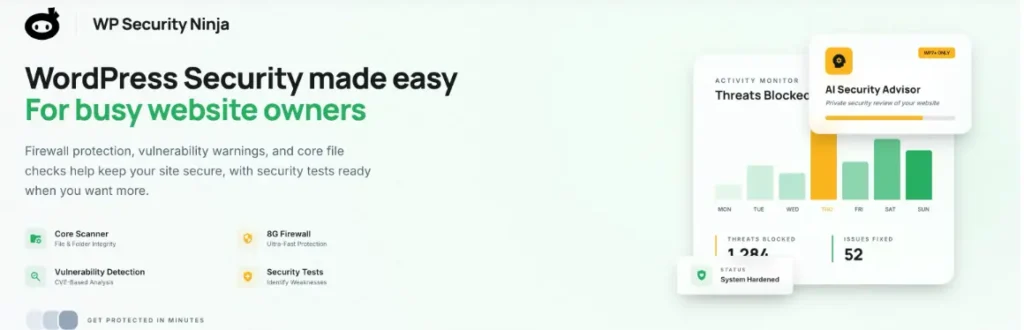
24. Security Ninja
Security Ninja, one of the oldest security plugins, this one can perform more than 50 tests including detecting files with malware, weak passwords, etc. There is an auto hack fix tool and methods to fix issues. It scans the WordPress core, themes, and plugins, blocks suspicious IPs, optimizes the database, improves site performance, debugs and more.
Available as free and paid versions, which start from $49.99/year to $249.99/year. Short-term monthly payments of $8.99/month are also possible. Or, choose lifetime packages at $139.99 for the basic plan.
*Note: Kindly verify the pricing plans.
26. WPScan – WordPress Security Scanner
WPScanis a versatile security plugin that offers solutions for security vulnerabilities detected by the WordPress community. Currently, there are around 21,000 manually detected threats and are updated daily by WordPress experts. So, WPScan actually scans plugins, themes, passwords, debug log files, database files, and the version of your website. You can get reports, risk scores, email notifications, and ways to fix the threat.
As the plugin covers around 25 API requests each day, it proves enough for an average website. The premium plans start with $5/month, professional with $25/month and the enterprise plan comes with custom pricing.
*Note: Kindly verify the pricing plans.
26. WP Hide and Security Enhancer
This security plugin prevents intruders from gauging your website identity by hiding themes, plugins, login pages, and other details. This way, it prevents malicious activities by hiding the critical parts of the website. It also eliminates plugins that dampen your site’s performance. Considered the best plugin for hiding WordPress credentials and default website settings.
There is a free version which suffices the needs of all basic websites. You can upgrade to higher versions by paying $39/year for a single site and $130/year for the developer.
*Note: Kindly verify the pricing plans.
27. Hide My WP
Hide My WPplugin hides the very fact that your site is built on WordPress. This reduces the chances of attacks, spam and threats. It blocks risks associated with SQL injection and hides wp-admin, login URL, PHP files, permalinks, etc. It notifies the admin with details of the attacker’s site. Multisite compatible, the plugin also blocks traffic from suspicious sources.
Available at $24 on CodeCanyon, this one charges $17/year for support and updates.
*Note: Kindly verify the pricing plans.
28. WP fail2ban
Primarily designed to block brute force attacks, WP fail2ban is more effective than any other plugin, in this department. With it, you can apply soft or hard bans, and even support multisite configurations. It filters login attempts, prevents spam comments, and delivers information about pingbacks, spam, threats, etc.
It is a FREE plugin.
29. VaultPress
Vaultpress plugin takes daily backups, real-time backups, and site restores, using a calendar. It backs up everything so, there is no data loss from the site. With it, you can download the backup files and store them at a designated place. Developed by Automattic, this one is powered by Jetpack, so you buy the combo. With an easy-to-use dashboard, this plugin is quite easy to operate.
The paid version offers plans starting from $9.95/month, plans with security packages at $24.95/month and a complete package at $99.95/month. The advanced plans offer backup features like malware scanning, spam protection, etc.
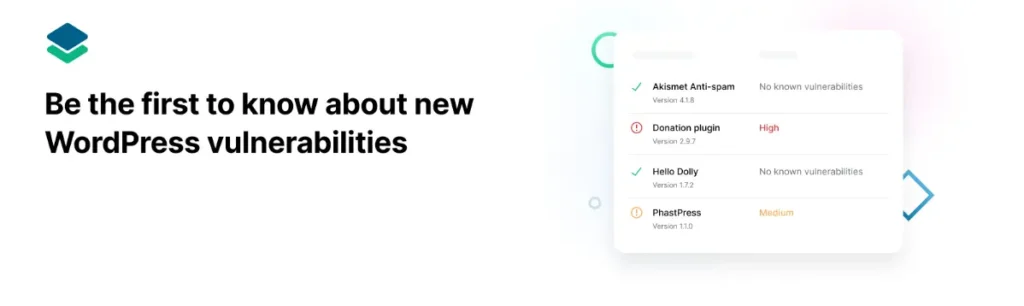
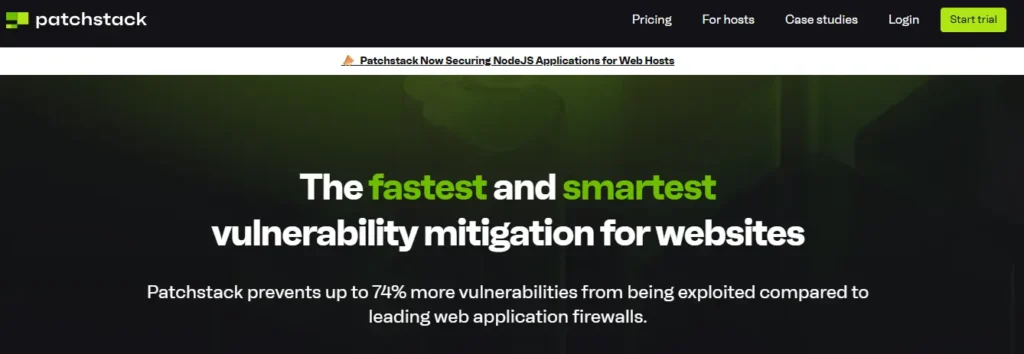
This is where WordPress security is headed in 2026, even though it’s the newest and least-searched name on this list today. Patchstack monitors your installed plugins and themes against a live vulnerability database and uses automated, AI-assisted risk scoring to flag issues, then applies a virtual patch that blocks the exploit before the plugin developer even ships an official fix. For a site running dozens of third-party plugins, that gap between “vulnerability disclosed” and “official patch released” is exactly when most attacks happen, and it’s how AI is being used across WordPress more broadly this year, not just for content and design. Expect this one to climb up this list as more site owners search for AI-driven protection by name.
A limited free tier is available. Paid plans for virtual patching and managed vulnerability monitoring start at $49.99/month per site.
*Note: Kindly verify the pricing plans.
Have You Found the Appropriate Plugins for Your Website?
Now that you know quite a lot of security plugins, it is easier for you to choose from the best ones mentioned above. Also, the choice of plugins depends on the requirements of your website. Many of the above are versatile enough to suffice all safety criteria of an average website. Therefore, you can choose accordingly.
Apart from installing the plugins, ask your WordPress developer team to keep an eye on the support activities as the site may demand them.
If you’d rather hand that ongoing monitoring off entirely, a WordPress maintenance plan typically covers plugin updates, backups, and security checks so nothing slips through the cracks. And if your site’s foundation hasn’t been looked at in a while, it’s worth reading how to future-proof your WordPress website before you add more plugins on top of it.
There is no single WordPress security plugin that is best for every website. Popular options such as Wordfence, Sucuri, All In One WP Security, MalCare, and Security Ninja provide different combinations of firewall protection, malware scanning, login security, monitoring, and other features. The right choice depends on your website’s security requirements.
Do I need a WordPress security plugin if my hosting is secure?
Yes. Secure WordPress hosting provides an important first layer of protection, but hosting security alone may not cover every threat. A security plugin can add features such as malware scanning, login protection, brute-force prevention, activity monitoring, firewalls, and two-factor authentication
Are free WordPress security plugins good enough?
For many small or standard WordPress websites, a reputable free security plugin can provide useful protection. However, business websites, eCommerce stores, membership websites, and sites handling sensitive information may benefit from premium features such as advanced firewalls, real-time malware detection, automated cleanup, and enhanced support.
Which WordPress security plugins are good for malware scanning?
Wordfence, Sucuri Security, MalCare Security, Security Ninja, SecuPress, and Security & Malware Scan by CleanTalk are among the WordPress security plugins that provide malware or vulnerability scanning capabilities
Which WordPress plugin can help prevent brute-force attacks?
Several WordPress security plugins offer brute-force protection, including Wordfence, Sucuri, WP fail2ban, Shield Security, SecuPress, and Anti-Malware Security and Brute Force Firewall. Login protection and two-factor authentication can further reduce unauthorized access attempts.
Do I need multiple WordPress security plugins?
Not necessarily. Installing several plugins with overlapping security features can create conflicts and may add unnecessary load to your website. It is usually better to select a security solution that covers your main requirements and add specialized plugins only when they provide functionality your primary security plugin does not offer.
What WordPress plugin can help secure a website with SSL?
Really Simple SSL is designed to help WordPress websites configure and manage SSL and HTTPS settings. SSL encrypts information transferred between a visitor’s browser and the website, making it particularly important for eCommerce and websites handling customer information.
How can I improve WordPress website security beyond installing plugins?
Start with secure WordPress hosting, keep WordPress core, themes, and plugins updated, use strong passwords, enable two-factor authentication, maintain regular backups, monitor website activity, limit unnecessary plugins, use SSL, and regularly scan the website for vulnerabilities and malware.
Girish Panchal
Technical Architect
A Technical Architect, proficient in WordPress, Drupal, Laravel, and DevOps tasks, crafts robust IT solutions with a blend of expertise and versatility in web development and infrastructure management.




 KrishaLabs
 KrishaStudio
 KrishaStore